Getting the most out of Opus 5.5 in Claude and Claude Code
How to prompt Opus 5.5, steer a long run, and check your results in Claude apps and Claude Code.
Opus 5.5 works well with the way you already use Claude. A few things behave differently, though: it works for longer on its own, it tells you plainly what it did, and it thinks before every reply. This guide covers how to work with Opus 5.5 in Claude apps and Claude Code, including how to prompt the model, steer a long run, and check your results.
TRY THIS FIRST
Three things to try in your first session with Opus 5.5
- Hand over the whole task. Say what “done” looks like and when you want it to stop and ask. Then let it work.
- Delete “think carefully” lines. Opus 5.5 already thinks before every reply.
- When a long run ends, read what it needs from you first.
1. HOW TO ASK
Say what “done” looks like, then let it run
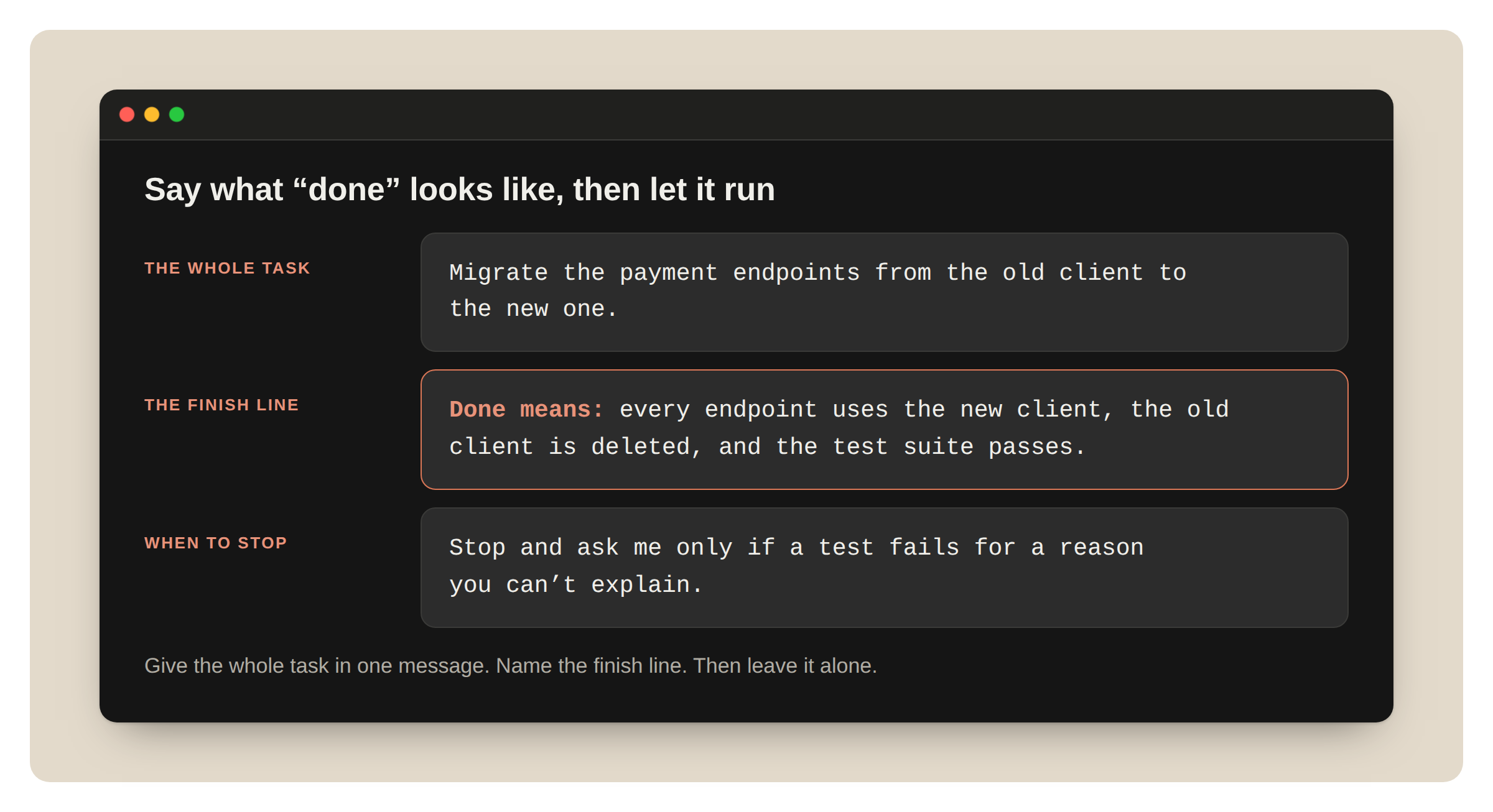
What to do. Give the whole task in one message. Name the finish line, like “the tests pass” or “every endpoint is migrated.” Then let it cook.
Why it matters on Opus 5.5. Opus 5.5 keeps going on long, multi-part work better than Opus 5 did. Compared to prior Opus models, its biggest gains are on multi-step work, like carrying a change through a large repository until the tests pass. Early testers had it run long coding tasks for hours with little oversight. With a clear finish line, it knows when it’s done.
How. In Claude Code, for example:
Migrate the payment endpoints from the old client to the new one.
Done means: every endpoint uses the new client, the old client is deleted, and the test suite passes.
Stop and ask me only if a test fails for a reason you can't explain.
Stop telling it to “think hard”
What to do. Remove “think carefully,” “think step by step,” and similar lines from your prompts and your saved instructions.
Why it matters on Opus 5.5. Opus 5.5 always thinks before it replies, and it decides how much. You don’t need to ask it to think. In our testing in a chat product, removing a “think carefully” line made replies start sooner, with no clear drop in quality.
How. Delete the line. For a quick answer to a simple question, say so: “Answer directly.” To change how much it thinks in Claude Code, change effort.
Add to a running task
What to do. If you remember something mid-run, you can type a follow-up while it works.
Why it matters on Opus 5.5. Runs are longer now, so a restart costs more.
How to do it. In Claude Code, type the message and press Enter while Claude works, for example, “Also keep the old endpoint names as aliases.”
For design work, name the styles you don’t want
What to do. When you ask for a page, an app, or an artifact, list the design habits you want left out.
Why it matters on Opus 5.5. With no design direction, Opus 5.5 falls back on a few default styles. A general instruction like “avoid a generic look” mostly swaps one default for another. A list of specific patterns works much better.
How. Name the patterns:
Build a personal website with placeholder content.
Don't use a cream or off-white background, italic accent words in headings, numbered "01 / 02 / 03" section labels, monospace labels, or pill-shaped buttons.
Then look at what it chose instead. If you don’t like that either, add it to the list and ask again.
2. STEERING A LONG RUN IN CLAUDE CODE
Tell it which stops you want
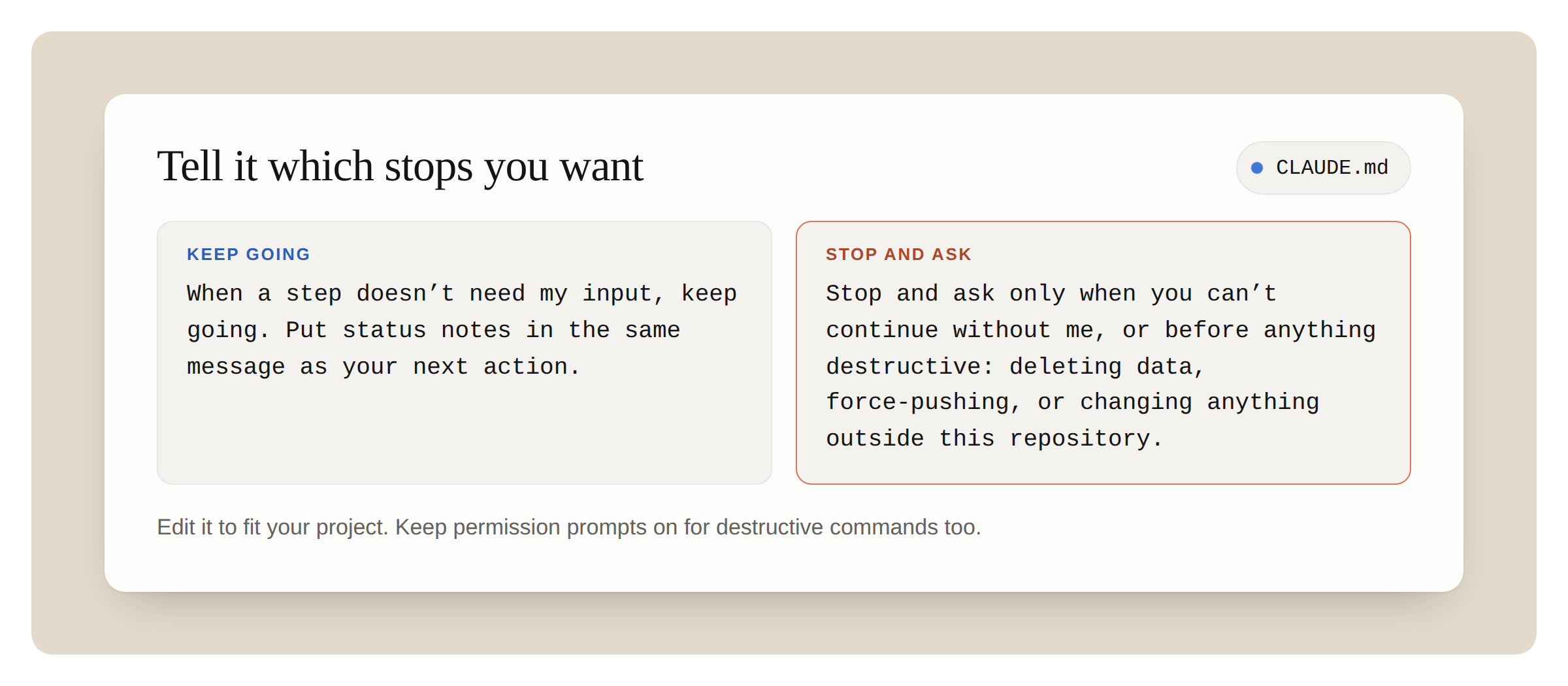
What to do. Put a short rule in your CLAUDE.md file about when to stop and ask, and when to keep going.
Why it matters on Opus 5.5. Opus 5.5 keeps you posted as it works. On a long task, it sometimes stops to report instead of going on: a summary that names the next step without taking it, an offer to continue, or a list of choices that don’t block the work. It follows instructions that name these stops. Name the stops you want, too.
How. Add this to CLAUDE.md, and edit it to fit your project:
When a step doesn't need my input, keep going. Put status notes in the same message as your next action.
Stop and ask only when you can't continue without me, or before anything destructive: deleting data, force-pushing, or changing anything outside this repository.
If a run stops with “Want me to continue?” reply “continue.” If that happens often, the rule above will help.
A rule to keep going means fewer stops, so keep your own check before anything risky or hard to undo. The last line of the rule above does that. Keep permission prompts on for destructive commands too.
For pair programming, you may want the opposite: a one-line plan before it starts and a short recap at the end. Say that in your CLAUDE.md instead. Opus 5.5 follows either one.
Ask it to split big work across subagents
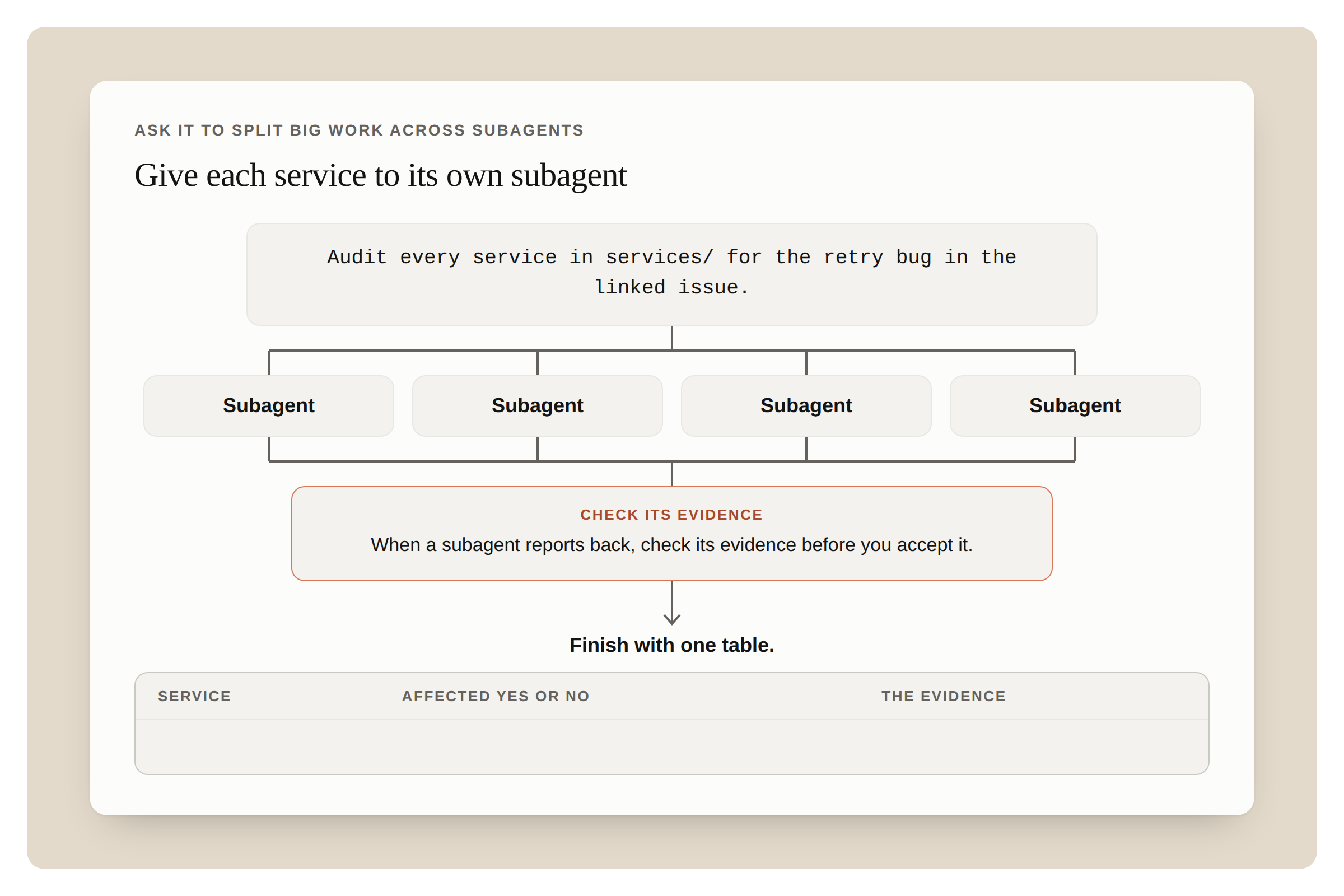
What to do. For an audit, a migration, or a review across a large codebase, ask Opus 5.5 to split the work across subagents and check each result.
Why it matters on Opus 5.5. Early testers had Opus 5.5 coordinate parallel subagents on long audits and migrations, with little oversight.
How.
Audit every service in services/ for the retry bug in the linked issue.
Give each service to its own subagent. When a subagent reports back, check its evidence before you accept it.
Finish with one table: service, affected yes or no, and the evidence.
Keep the task list in a file
What to do. For a run that will take a while, ask Opus 5.5 to keep its task list in a file and update it as it goes. Then read the file, not the scrollback, to see where the run is.
Why it matters on Opus 5.5. Runs are longer now. A long run fills the context window, and Claude Code then summarizes older turns. A list in a file survives that, and it shows you at a glance what’s done and what’s left.
How. “Keep a checklist in TASKS.md. Tick each item when it’s done, and add anything new you find.”
3. CHECKING THE RESULT
Read what it needs from you first
What to do. When a long run ends, look first for anything Claude is waiting on you for, like a decision it left open or a change it wants you to approve. Then read the rest of Claude’s summary.
Why it matters on Opus 5.5. Opus 5.5 reports on its work more clearly than Opus 5. Its updates and its final summary say what it did, what it found, and what it needs from you, in plain language.
How. To change the summary’s format, say so in CLAUDE.md, for example, “End every run with three headings: Blocked on me, Changed, Found.”
Ask it to review the code
What to do. Ask Opus 5.5 to review a diff or a pull request before a person does.
Why it matters on Opus 5.5. One early tester said Opus 5.5 at its lowest effort caught more bugs than Opus 5 at high effort, with fewer false alarms. It also explains its changes in plain language, so its pull request descriptions are easier to review.
How. Feed this prompt to Claude:
Review the diff on this branch against main.
List only problems you'd block the merge for. For each one, give the file and line, why it's wrong, and how to show it fails.
Ask it to mark what it couldn’t confirm
What to do. For research and analysis, ask it to say what it couldn’t find or couldn’t check.
Why it matters on Opus 5.5. “I couldn’t find this” is worth reading, and asking for it makes it easy to find.
How. Add “Mark anything you couldn’t confirm, and say where you looked” to the request. This works in a Claude research report and in Claude Code.
4. IN CLAUDE APPS
First, check that the model picker says Opus 5.5.
Share the chart or screenshot itself
What to do. Attach the chart, diagram, screenshot, or slide. Don’t retype the numbers.
Why it matters on Opus 5.5. Opus 5.5 reads charts, diagrams, and screenshots more accurately than Opus 5, and it needs no extra steps to do it. It’s also better at meaning that depends on where things are in the image: which boxes an arrow connects, what changed between two versions of a diagram, or when a meeting starts and ends in a calendar screenshot.
How. Attach the image and ask a specific question: “Which of these services call the billing API directly?”
Ask it to check a long document
What to do. Give it a long plan, report, or deck, and ask it to find mistakes.
Why it matters on Opus 5.5. Opus 5.5 pays more attention to detail than prior Opus models. In our testing, it caught a date that fell on the wrong weekday in a long planning thread, and a chart that didn’t match the numbers in a deck.
How. Submit the prompt: “Check this deck for anything that contradicts itself: numbers, dates and names. Quote each problem and say where it is.”
Ask for the finished file
What to do. When you want a spreadsheet or a document, ask for the file, not an outline.
Why it matters on Opus 5.5. The spreadsheets and documents Opus 5.5 makes need less editing than Opus 5’s before you share them.
How. “Make this a spreadsheet I can share: one row per vendor, with columns for cost, contract end date and owner.”
In a project, say when answers are settled
What to do. If follow-up questions in a long chat feel slow, add an instruction that earlier answers are settled.
Why it matters on Opus 5.5. In a long chat, Opus 5.5 sometimes goes back over an earlier answer while it thinks about a short follow-up. That slows the reply.
How. Add this to the project’s instructions:
Once you have answered something, treat that answer as done. Focus on what I'm asking now, and don't go back over an earlier answer unless I ask about it or point out a problem with it.Leave it out of projects for long analysis, where a later step can show a mistake in an earlier one.
5. WHEN A MESSAGE IS FLAGGED
Opus 5.5 is the first Opus model to launch with Fable-level bio and cyber safeguards. In Claude apps and Claude Code, most flagged messages move to an older model, and your work goes on there. Finding security vulnerabilities in source code is allowed, and everyday health and educational questions should still work. These safeguards can sometimes flag legitimate work, and we’re tuning them to cut down on incorrect flags. If you’re switched, here’s what you’ll see and what to do.
In Claude apps
What you see. A notice that starts with “Switched to” and the name of an older model. Claude answers on that model, and the chat stays on it.
What to do.
- To go back to Opus 5.5, choose it in the model picker. If the earlier message is still in the chat, it may be flagged again. Starting a new chat avoids that.
- To be asked first, go to Settings, then Capabilities, and turn off “Switch models when a message is flagged.” You’ll see a “paused” card with your options.
The check covers everything in the conversation, including files and search results. So a flag can come from earlier content, not only your last message.
In Claude Code
What you see. A notice that names the older model. The session continues on that model.
What to do.
- Run /model to switch back.
- Press Esc twice to edit your last message and try again.
- To be asked first, run /config and change “Switch models when a message is flagged.”
- Run /feedback if the flag was wrong.
Don’t ask it to show its reasoning in the reply
What to do. Remove requests to reproduce its internal reasoning in the reply from your prompts and instructions.
Why it matters on Opus 5.5. A request to reproduce its internal reasoning in the reply can be declined. It’s one of the flag categories.
How. Ask Claude for what you need instead, for example, “Explain why you chose this approach in three sentences.”
6. SPEED
Turn on fast mode when you’re waiting on each reply
What to do. In Claude Code, use fast mode for back-and-forth work, where you read each reply before you send the next message.
Why it matters on Opus 5.5. Fast mode is available for Opus 5.5 at launch as a research preview. You get the same model, and the text arrives sooner. It needs extra usage turned on, and it costs more per token than standard mode.
How. Type /fast into Claude.
YOUR OPUS 5.5 CHECKLIST
Run through this before your next long task.
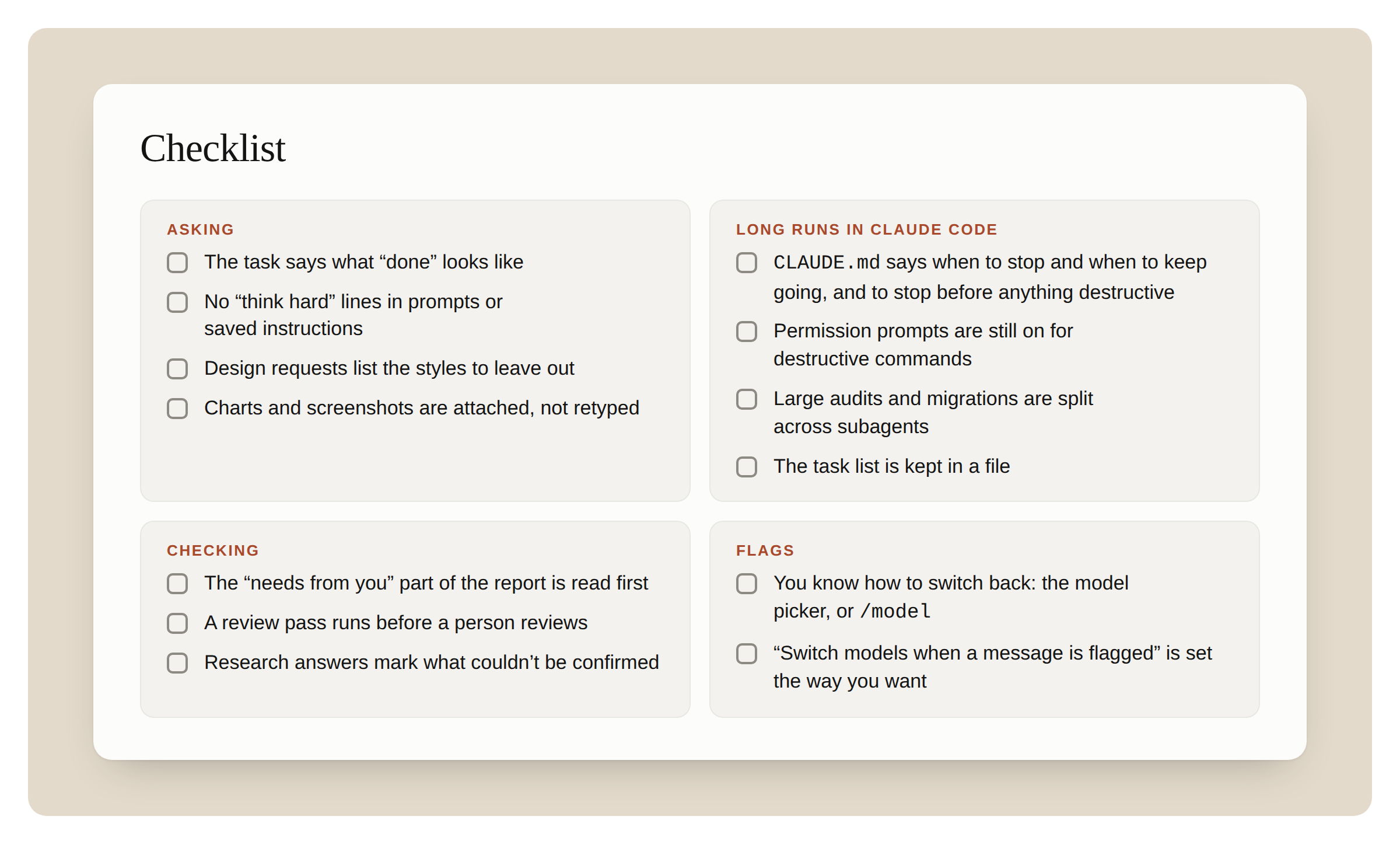
Asking
- The task says what “done” looks like
- No “think hard” lines in prompts or saved instructions
- Design requests list the styles to leave out
- Charts and screenshots are attached, not retyped
Long runs in Claude Code
- CLAUDE.md says when to stop and when to keep going, and to stop before anything destructive
- Permission prompts are still on for destructive commands
- Large audits and migrations are split across subagents
- The task list is kept in a file
Checking
- The “needs from you” part of the report is read first
- A review pass runs before a person reviews
- Research answers mark what couldn’t be confirmed
Flags
- You know how to switch back: the model picker, or /model
- “Switch models when a message is flagged” is set the way you want
Start building with Opus 5.5!
With thanks to Molly Vorwerck for reviewing.